Showing posts with label Downloads. Show all posts

Sunday, 14 August 2016

Get Registered IDM!


Now you can get registered Internet Download Manager.

How TO Install?

Follow the following steps to download and install it.

1st step:
            Click the download buttons below to download files.Remember! You have to download both files.One for installation and second for registration.

                                      click below to download installation file

                                      click below to download registration file


2nd Step:
             After downloading the both files install the setup.

3rd step:
             Click the registration file and follow the instruction to install that file.

Now you are able to use registered IDM for downloading.
Share:

Monday, 25 July 2016

Prisma app is now available for Android!


        Prisma, the turn-your-photos-into-paintings app that’s been blowing up over the past few weeks, is now launching on Android in full form. That means you no longer need a beta invite, and can download it straight off the Google Play Store.

The app has only been available in beta form on Android for about five days, so this is a surprisingly quick turnaround. Then again, Prisma probably wants to take advantage of its current momentum as much as possible – especially amid rumors itmight be acquired.

Of course, Prisma is far from the first app to try to make your photos look like painted or drawn artwork. The difference here is its use of artificial intelligence makes the images look much more like they were created by actual humans than a simple algorithms.
Prisma’s co-founder shared some stats about the app in the short time it’s been available:

  • Over 400 million photos have been ‘prismed’
  • It’s been downloaded over 10.6 million times on iOS alone
  • The are over 1.55 million daily active users
  • Daily downloads maxed out about 700k
The Android app has all the same features as the iOS version, including over 30 filters and support for either taking a new photo or choosing existing ones from your gallery.
Video support – which the company has already demo’d – will launch in about “a week or so.” Prisma tells us live video support is also planned for the near future, but isn’t ready to provide more specifics.
Interestingly, Prisma says it’s going to delete the least popular styles “while adding a lot of cool new ones.” Some people will likely be sad to see some filters go, but we’d rather have a gamut of high-quality filters, so kudos to Prisma for cutting the weight.

Share:

Friday, 22 July 2016

Download Pokemon GO free apk


Venusaur, Charizard, Blastoise, Pikachu, and many other Pokémon have been discovered on planet Earth! 
Now’s your chance to discover and capture the Pokémon all around you—so get your shoes on, step outside, and explore the world. You’ll join one of three teams and battle for the prestige and ownership of Gyms with your Pokémon at your side.

Pokémon are out there, and you need to find them. As you walk around a neighborhood, your smartphone will vibrate when there’s a Pokémon nearby. Take aim and throw a Poké Ball… You’ll have to stay alert, or it might get away!

Search far and wide for Pokémon and items
Certain Pokémon appear near their native environment—look for Water-type Pokémon by lakes and oceans. Visit PokéStops, found at interesting places like museums, art installations, historical markers, and monuments, to stock up on Poké Balls and helpful items. 

Catching, hatching, evolving, and more
As you level up, you’ll be able to catch more-powerful Pokémon to complete your Pokédex. You can add to your collection by hatching Pokémon Eggs based on the distances you walk. Help your Pokémon evolve by catching many of the same kind. 

Take on Gym battles and defend your Gym
As your Charmander evolves to Charmeleon and then Charizard, you can battle together to defeat a Gym and assign your Pokémon to defend it against all comers.

It’s time to get moving—your real-life adventures await!

Note: This app is free-to-play and is optimized for smartphones, not tablets.


Share:

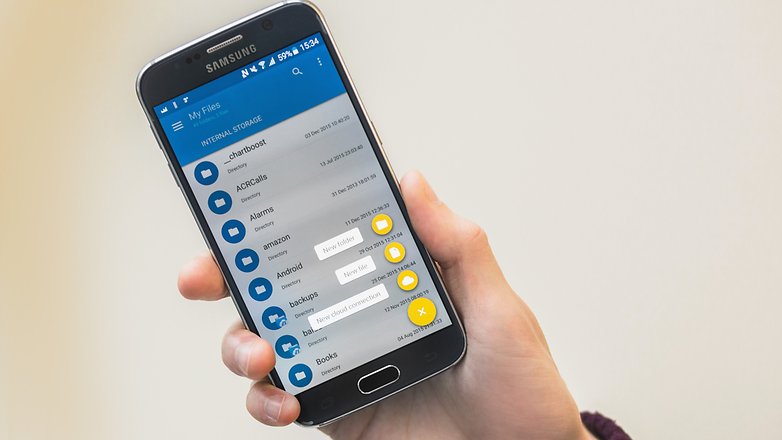
Best file manager app for Android

In light of the turn ES File Explorer has taken, we've tested out a few alternatives in search of a replacement.
The app we've settled on is Solid Explorer. It's feature-rich and highly accessible thanks to a crisp Material Design UI. It also houses a very handy double-panel display that lets you navigate to two separate folders and drag a file across from one to the other. Integration with cloud services like Google Drive, Dropbox and OneDrive, as well as FTP servers, make it a formidable all-in-one solution for managing your files.
Some of its other features include hidden folders, ZIP and RAR archive extraction, and customization through icons, color schemes and themes.
The app is free to try out for two weeks, and then you have the option to pay $2, so you've nothing to lose by trying it out and seeing what you think.
Click Here to download it from play store.


Share: